Free guide and tracking plan
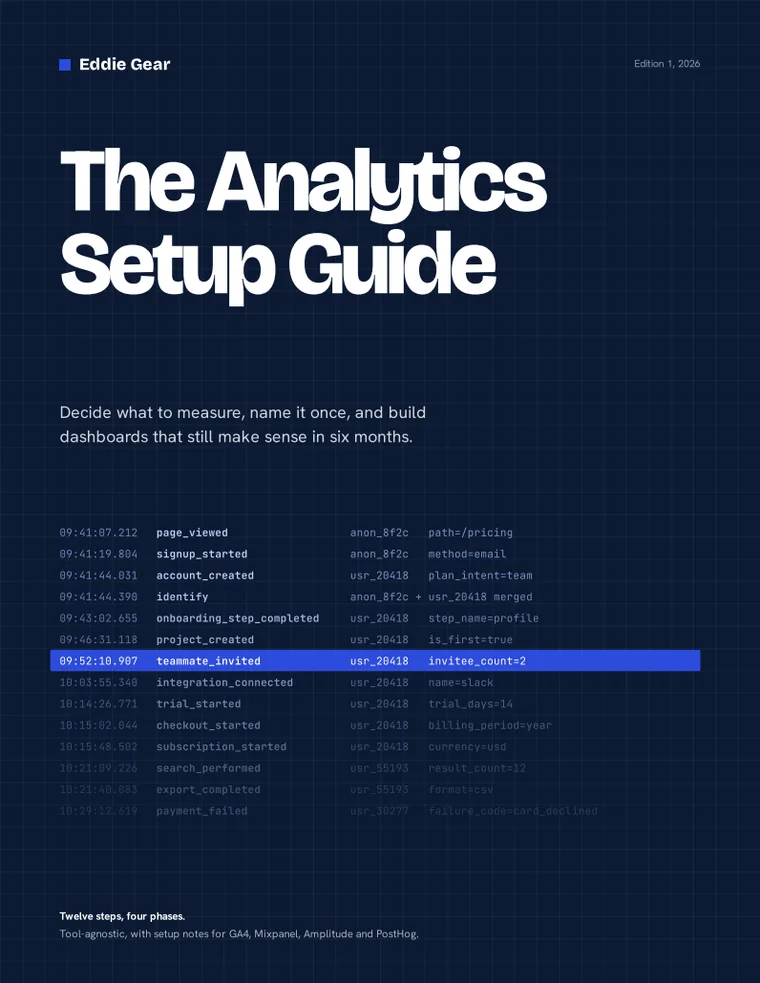
Decide what to measure. Name it once.
Twelve steps from “track everything” to dashboards you can still trust in six months. A fillable guide, plus a tracking plan workbook that checks your event names for you.
- Fillable PDF, plus a print-friendly copy
- Tracking plan workbook for Excel and Google Sheets
- Free. You give us an email address, and that’s the whole price
Send me the guide
Free download. No sales call at the end.
What happens to my email?
What we collect: your email address, and your first name if you give it.
Why: to send you the download. If you tick the box, also to send articles, new free resources and any paid products.
Your choices: unsubscribe from any email, or email us to withdraw consent or to ask us to correct or delete your data.
Concerns: email us. Full details are in our Privacy Policy.
Before you download
It’s free
You give us an email address and we send the files. The marketing emails are optional and separate. You get the download either way.
How you can use it
Use it on your own work and your clients’. Print it and fill it in. Don’t resell it, post it elsewhere or put it inside another product. Send people to this page instead.
What it is, and isn’t
General information, not legal, financial, security or other professional advice. It comes as is, with no warranty and no promised result. The examples and numbers are made up. To the extent the law allows, Eddie Gear isn’t liable for losses from using it. Tracking, consent and privacy rules vary by country. Decide what you may track with advice from a qualified professional, and confirm vendor details in current documentation.
Your data
We use your email to send the download. We don’t sell your data. You get marketing emails only if you tick the box, and every email has an unsubscribe link. Analytics cookies are set only if you accept them.
Read the full Terms of Use and Privacy Policy. Tool names belong to their owners, and there’s no affiliation with any of them. Edition 1, 2026. Questions? Email us.
What’s in the download
It’s a guide, not a tool. It won’t install anything. It will stop you tracking everything and trusting none of it.
Twelve steps, four phases
A 27-page fillable guide. Start with the decisions, then the events, then the build, then the dashboards.
A spreadsheet that checks your names
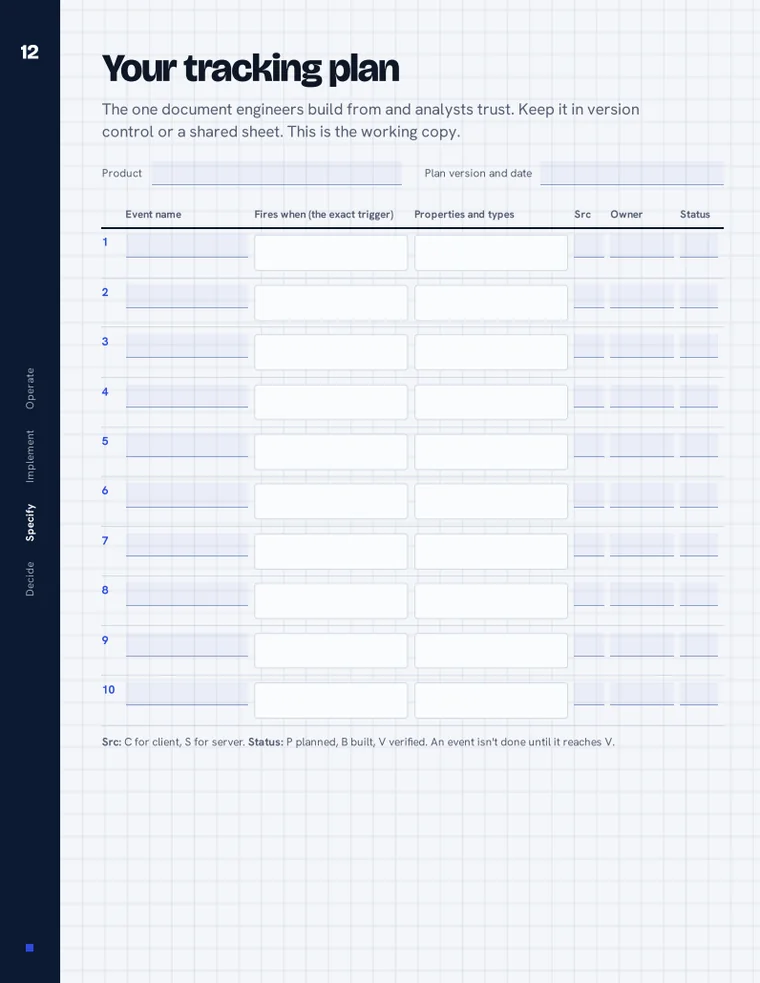
Holds your event list and flags duplicates, wrong case and anything that isn’t snake_case. Includes a property dictionary, a UTM builder and a QA log.
Four tools, one plan
Notes for GA4, Mixpanel, Amplitude and PostHog: what each calls things, and what to set up on day one. Tool-agnostic everywhere else.
Four phases, twelve steps
Most setups fail the same way: someone tracks everything they can think of, and six months later nobody trusts the numbers.
- 1
Decide
Steps 1 to 3
Questions, North Star, stack
- 2
Specify
Steps 4 to 8
Naming, events, properties, identity, attribution
- 3
Implement
Steps 9 and 10
Build once, then verify
- 4
Operate
Steps 11 and 12
Dashboards and governance
page_viewed           anon_8f2c   path=/pricing
signup_started        anon_8f2c   method=email
account_created       usr_20418   plan_intent=team
subscription_started  usr_20418   currency=usd
Example events. Yours will differ.
How it works
Write down the decisions first
List the questions your team needs answered. The events fall out of them. If an event changes no decision, don’t track it.
Name things once
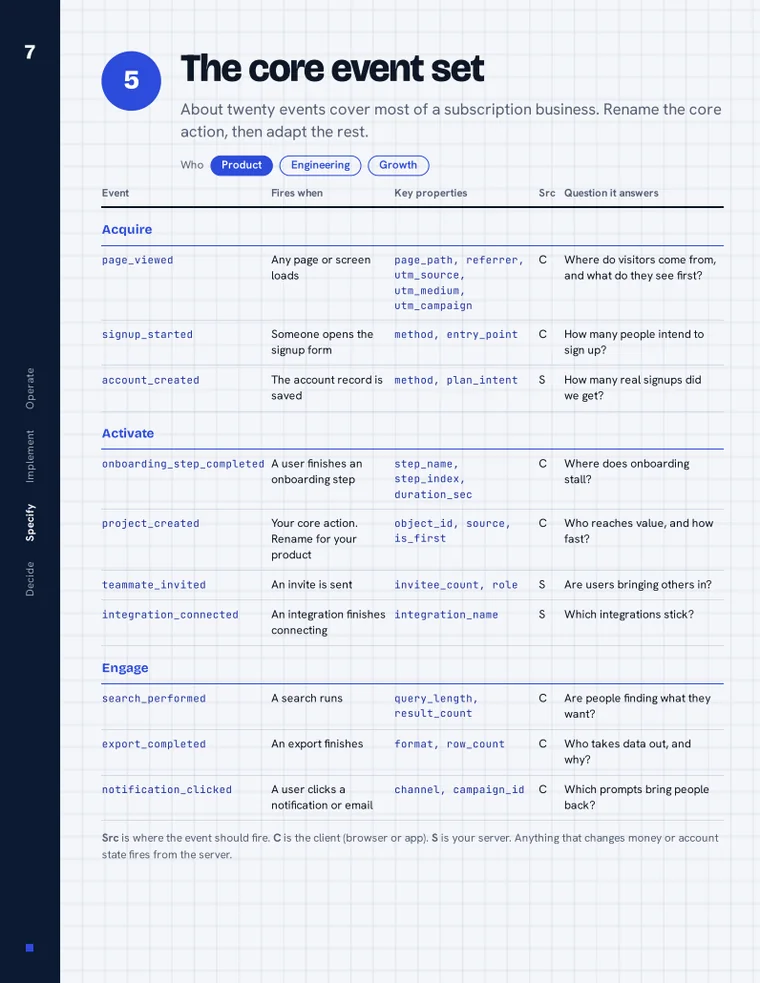
Pick one naming rule, one dictionary and one owner. Start from the twenty-event starter set.
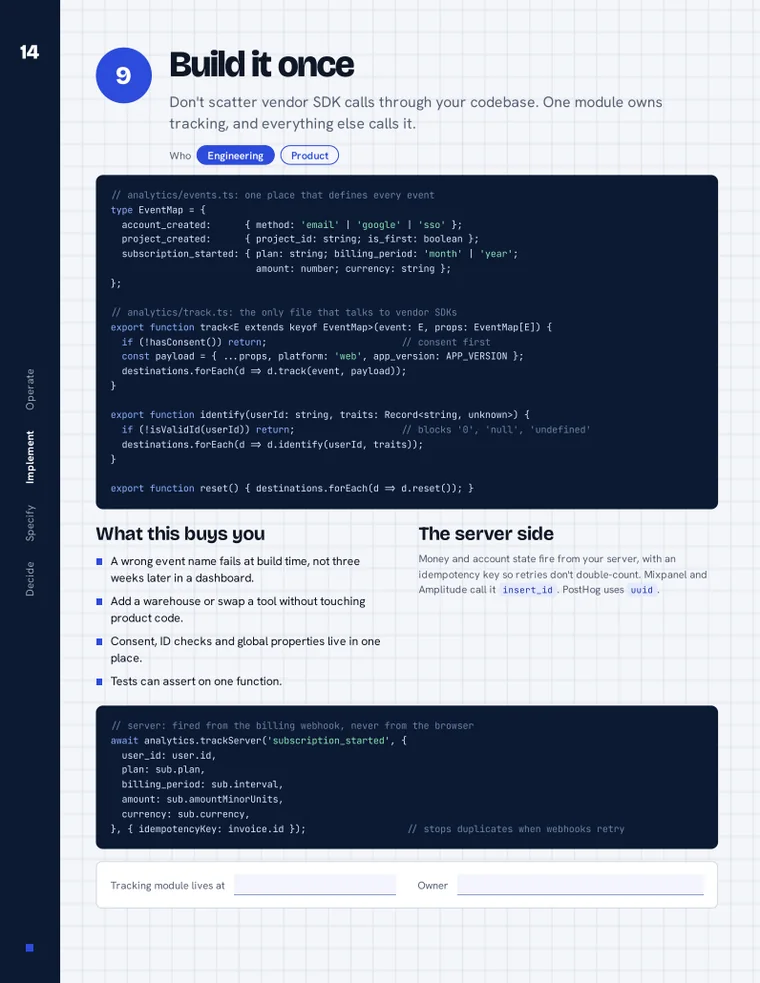
Build it once, then verify
Put all tracking behind one module. Check what the tool shows against your own database before you trust it.
Keep it honest
Build dashboards from the plan, then run the six-month rot test to see what has drifted.
Who it’s for, and who it isn’t
For you if
Founders, product managers, marketers and engineers setting up analytics for the first time, or cleaning up a setup nobody trusts.
Not for you if
You want a tool comparison or a click-by-click GA4 tutorial. This is about deciding and naming, and it only touches each tool’s setup.
A look inside
These are real pages from the download.
Questions
Is it really free?
Yes. You give us an email address and we send you the files. If you tick the box, we’ll also send you an email now and then. If you don’t tick it, you still get the files.
Which analytics tool do I need?
Any. The guide is tool-agnostic, with setup notes for GA4, Mixpanel, Amplitude and PostHog.
Do I need to code?
Not for most of it. Steps 9 and 10 include a code example for a tracking wrapper, which an engineer can use as it stands.
Can I use it with clients?
Yes. Use it on your own work and on your clients’. Please don’t resell it or post it elsewhere. Send people to this page instead.
How do I print it?
The download includes a print-friendly version. It’s designed for US Letter paper. On A4, choose “Fit to page.”
What do you do with my email?
We send you the files. If you ticked the box, we also send occasional emails about articles, new free resources and any paid products. You can unsubscribe from any email. The details are in the Privacy Policy.
Is this professional advice?
No. It’s general information and education. It isn’t legal, financial, security or other professional advice, and it comes with no warranty and no promised result. Check anything important against your own situation.
Are the examples real?
No. The names, numbers and scenarios marked illustrative or composite are made up to show how it works. They aren’t benchmarks, and they aren’t anyone’s results.
Who made this?
Eddie Gear. It’s drawn from years of hands-on experience, and it names no clients, on purpose.
Decide first. Then track.
Send me the guide
Free download. Check your inbox after you sign up.
What happens to my email?
What we collect: your email address, and your first name if you give it.
Why: to send you the download. If you tick the box, also to send articles, new free resources and any paid products.
Your choices: unsubscribe from any email, or email us to withdraw consent or to ask us to correct or delete your data.
Concerns: email us. Full details are in our Privacy Policy.